3.2 Receiving Message
How to check the incoming messages
Dashboard screen
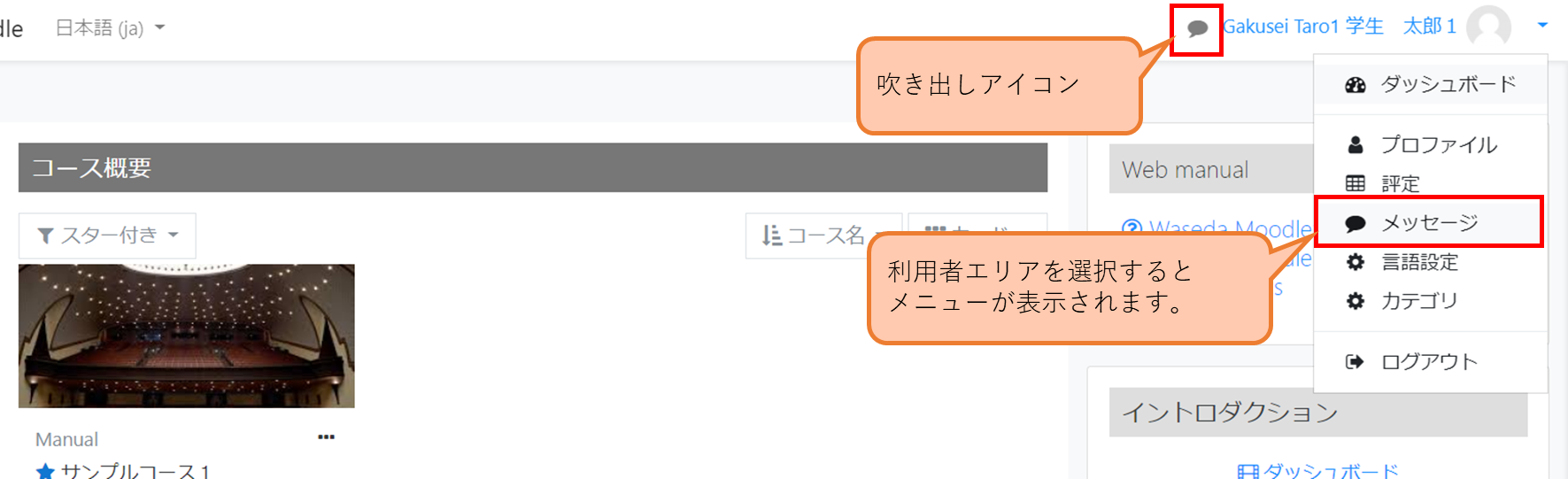
1.Click user area to display function menu for user and select “Messages,” or click a balloon shape icon, to display message screen.
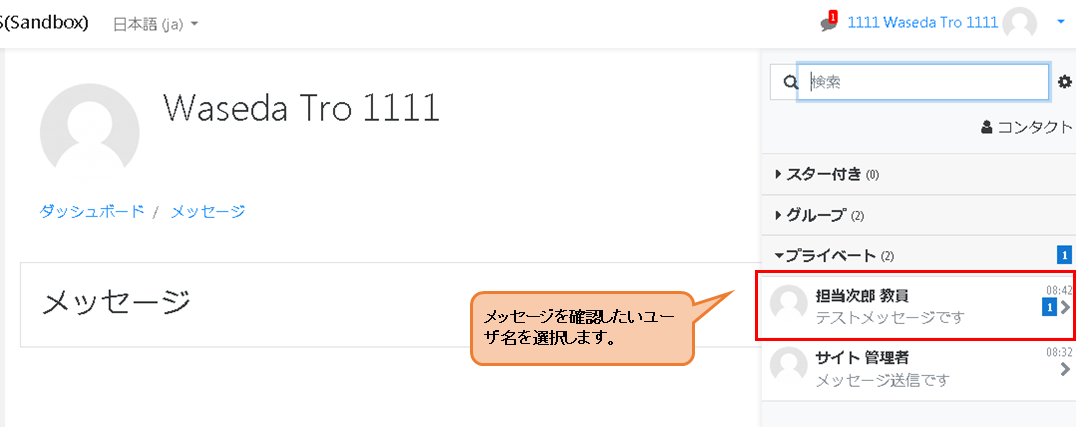
2.Select the user name.
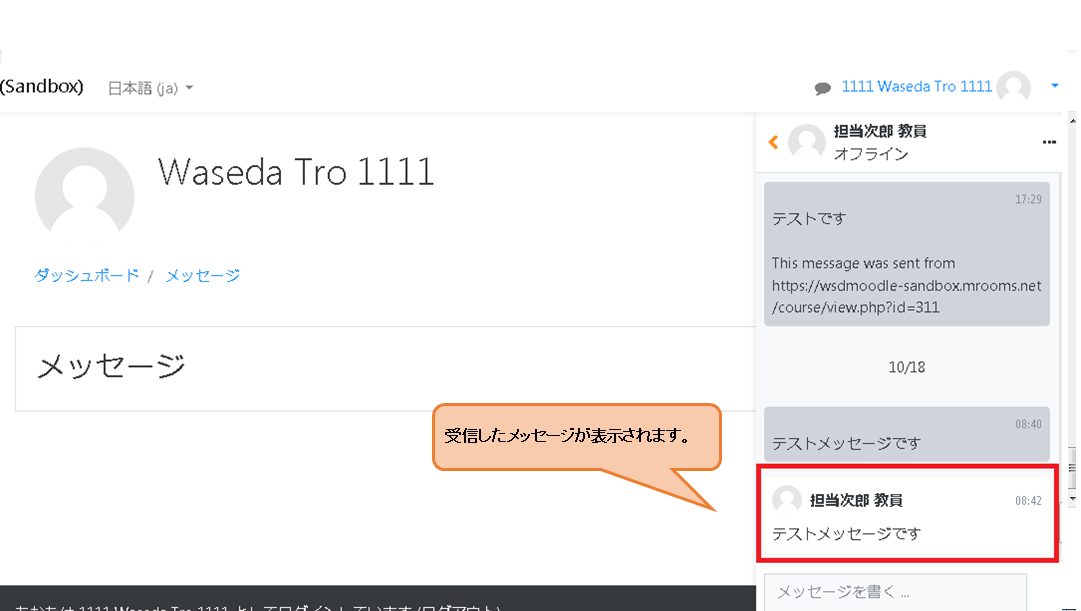
3.Check the received message.