(2026.8.27) Upgrade
There has been a specification update in Moodle. The main change is as follows:
Main Feature Addition and Improvement
- Question bank
Question banks have been significantly improved. Please refer to this page for details.
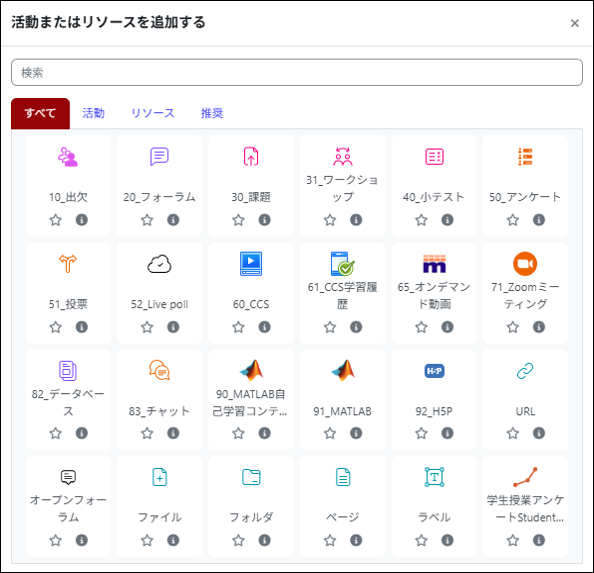
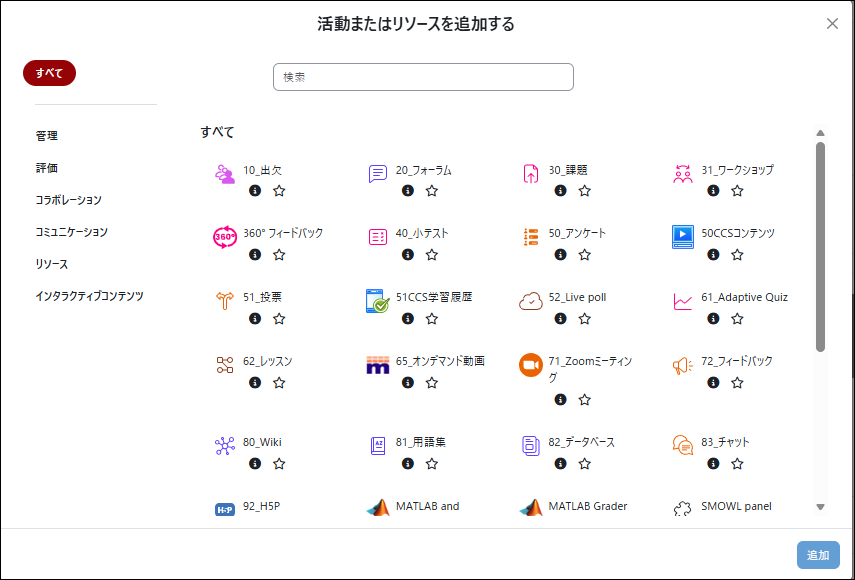
- Changes to the “Add an activity or resource” Screen
The layout of “Add an activity or resource” screen has been updated. To add an activity or resource, either double-click the item you wish to add, or select it and click “Add”.
Before the upgrade
After the upgrade
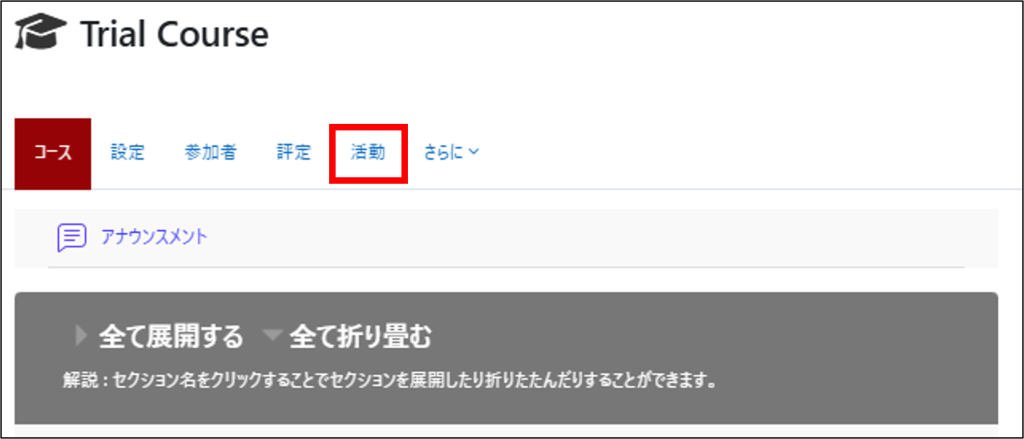
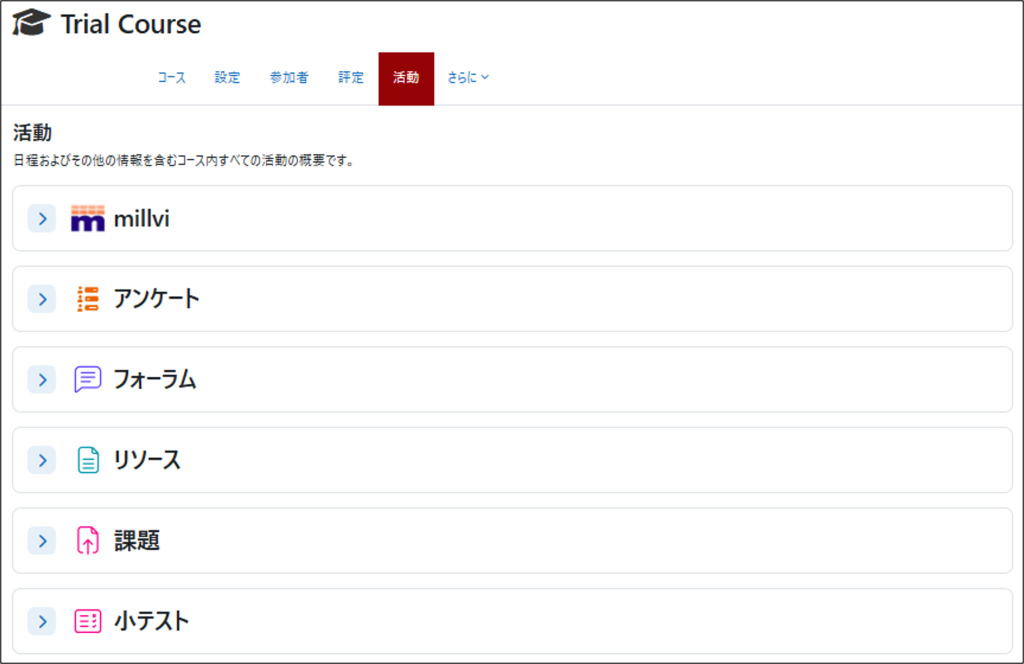
- New “Activities” Tab
A new “Activities” tab has been added, allowing you to view dates and statistical information for each activity. Please note that “Reports” tab has been moved under “More”.
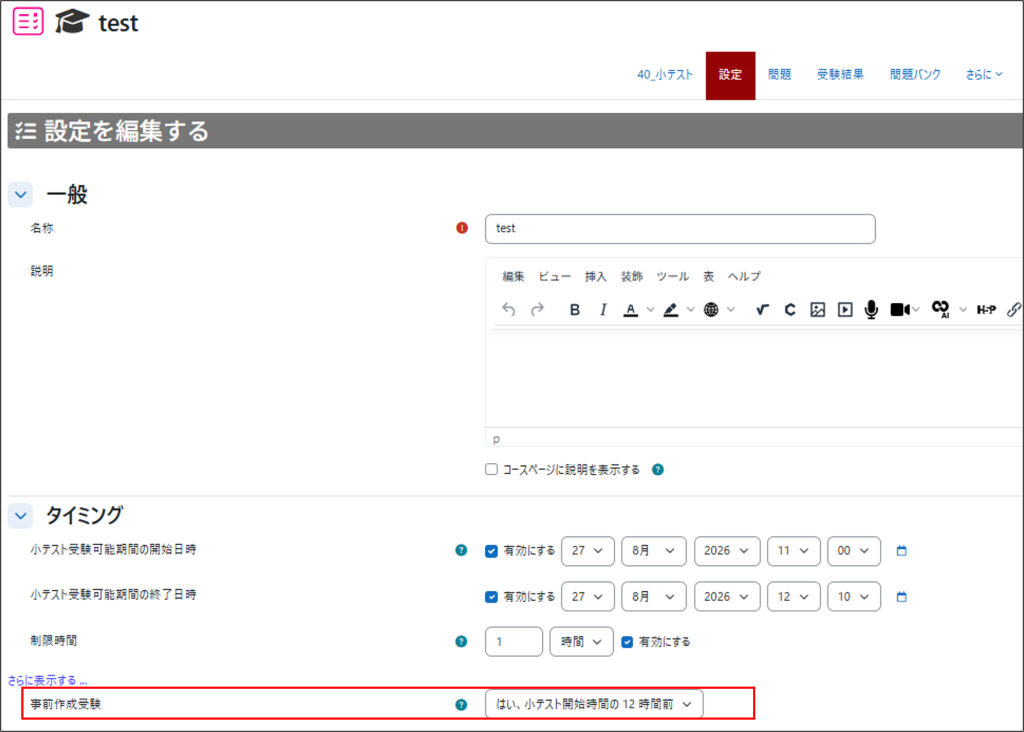
- New “Pre-create Quiz Attempts” Setting
A new “Pre-create attempts” setting has been added to the quiz settings page. When enabled, quiz attempt data is created before the quiz becomes available. This can help reduce system load at the start of a quiz and minimize issues caused by a large number of users accessing the quiz simultaneously. Enable this setting only when necessary for quizzes where more than 200 students are expected to access the quiz at the same time. Please note that quiz questions cannot be modified after the attempt data has been created.
Enabling this setting does not change the quiz-taking experience for students.
Last Updated on 2026-08-26

